Downloads 36.08%
Projects 28.14%
Other 5.67%
| Folder Path | Files | Size | Percent |
|---|---|---|---|
| C:\Users\You\Downloads | 1,820 | 25.45 GB | 36.08% |
| C:\Projects | 3,406 | 19.84 GB | 28.14% |
| C:\Archive | 610 | 8.22 GB | 11.65% |
Folder Size Inspector is a fast and lightweight Windows tool that helps you analyze disk usage, find large folders, detect duplicate files, view file type statistics, and export results with ease.
| Folder Path | Files | Size | Percent |
|---|---|---|---|
| C:\Users\You\Downloads | 1,820 | 25.45 GB | 36.08% |
| C:\Projects | 3,406 | 19.84 GB | 28.14% |
| C:\Archive | 610 | 8.22 GB | 11.65% |
Designed for developers, power users, and anyone who needs a clear view of where storage space is going.
Scan folders quickly and see how storage is distributed across files and subfolders.
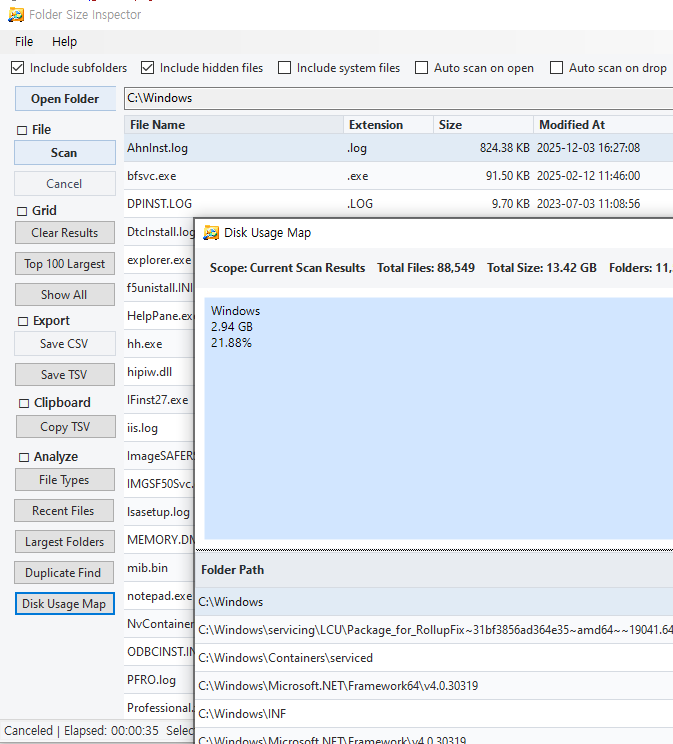
Visualize folder sizes with a treemap view and spot large storage consumers immediately.
Break down your files by extension and size to understand which formats use the most space.
Identify the biggest folders and files at a glance so cleanup becomes easier and faster.
Locate duplicate files, review the results, and remove unnecessary copies with confidence.
Save your scan results to CSV or TSV for reporting, sharing, or further analysis.
Simple workflow. Open a folder, scan it, review the results, and take action.
Choose any folder on your PC and decide whether to include subfolders, hidden files, or system files.
Folder Size Inspector analyzes files, folder sizes, and file types quickly and presents clear results.
Check largest folders, file type statistics, duplicate files, and the visual disk usage map.
Export results to CSV/TSV or use the findings to delete duplicates and free up storage space.
Quick answers you can leave on the page without needing extra documentation.
No. Folder Size Inspector analyzes local files and folders on your Windows PC. It does not upload your files to an external service.
Yes. You can export results to CSV or TSV for reporting, filtering, or additional review.
Yes. The app includes a duplicate file finder so you can review duplicate items and remove unnecessary copies.
Folder Size Inspector is built for Windows desktop environments.
Send your ideas, bug reports, or usage questions directly from this page.